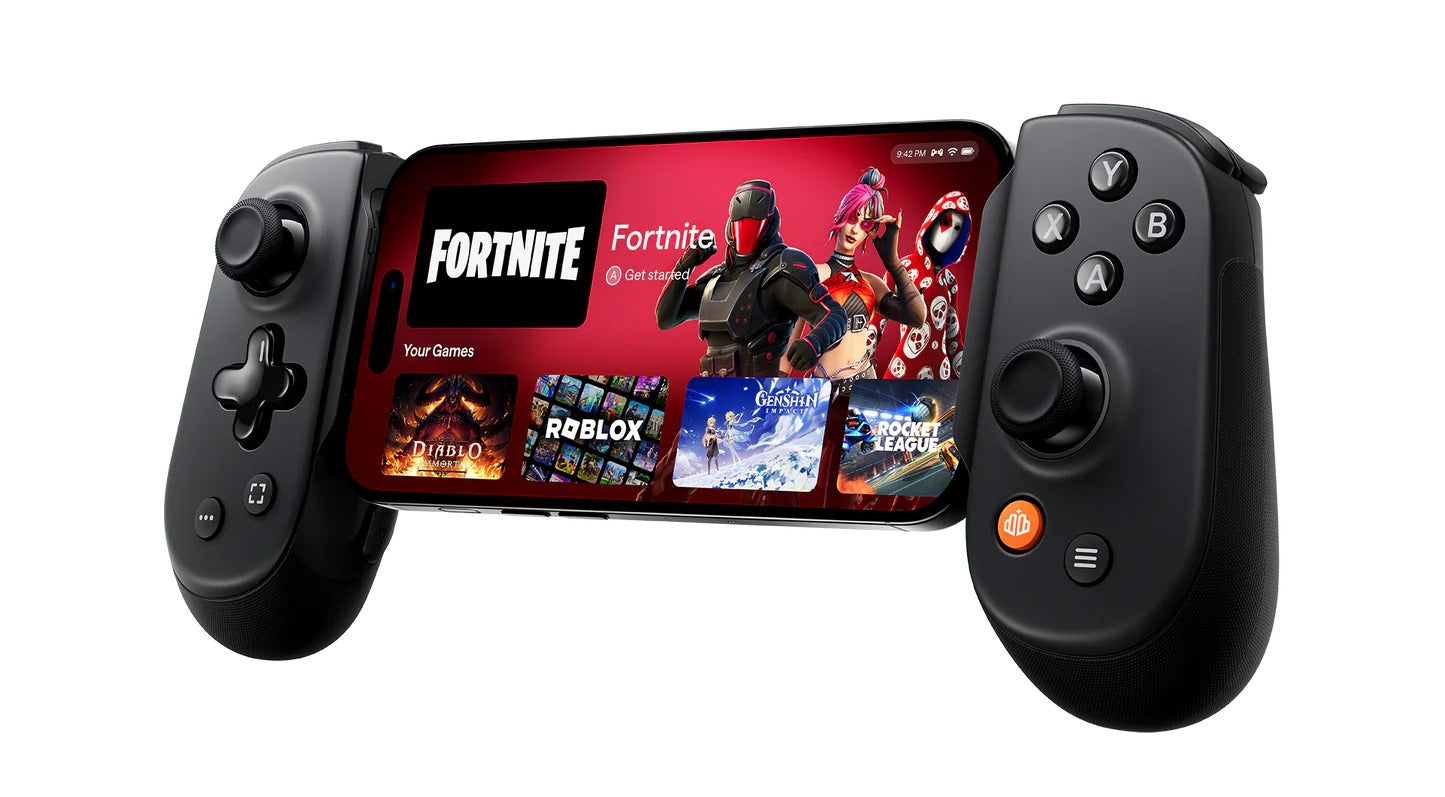
If you’re passionate about mobile gaming but miss the tactile satisfaction of real buttons, the Backbone Pro might be exactly what you’ve been waiting for. Engineered to snap seamlessly onto your smartphone, this sleek controller brings physical controls to Android and iOS in a way that feels both intuitive and high-end—whether you’re gaming wirelessly or plugged in for precision play.
At $169.99, the Backbone Pro doesn’t come cheap, and there are a few trade-offs to consider. Still, for serious gamers looking for a versatile controller that works both as a snap-on accessory and a standalone Bluetooth gamepad, it’s a compelling option that blends convenience with performance.
Want to learn more? Check out the full specs and buying options on the official Backbone website, read the in-depth hands-on review from The Verge, or explore comparisons with other gamepads over at TechRadar.
Pros
- Works via physical connection and Bluetooth
- Responsive and satisfying controls
- Full-size analog sticks
- Programmable rear buttons
- Comfortable, compact design
Cons
- Doesn’t feel as solid as a full-size controller
- Many useful app features are locked behind a subscription
- No haptic feedback
Design: Compact, Comfortable, and Clicky
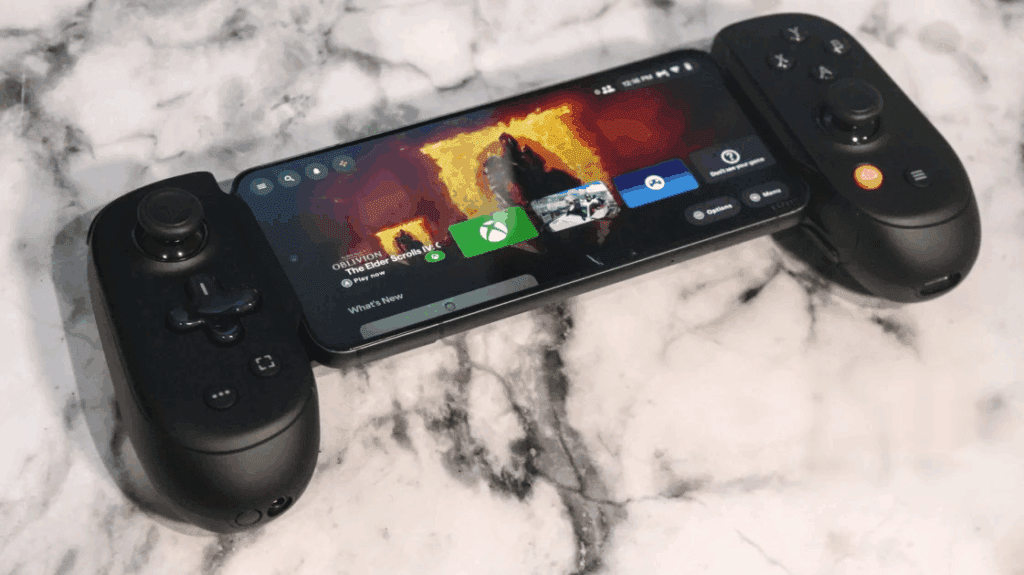
The Backbone Pro is slightly chunkier than its predecessor, the Backbone One, measuring 4.1 x 7 x 1.4 inches. It’s still portable enough to slip into a jacket pocket, but now features rounded grips that feel much more ergonomic. At just over 7 ounces, the controller is lightweight—but don’t confuse that with being flimsy. It feels solid, even if a bit hollow due to the lack of haptic motors.
Control Layout
You’re getting a familiar Xbox-style layout with offset analog sticks, a proper direction pad, responsive face buttons, and analog triggers. The face buttons are small—larger than Nintendo Switch Joy-Cons, but smaller than a full-size gamepad. Still, they click satisfyingly, and the analog sticks are the same size as those on an Xbox controller.
Rear triggers are magnetic (not Hall effect sensors), and while their travel distance is shorter than on full-size controllers, they still perform well. All the essential system buttons (Start, Select, Capture, Guide) are present and positioned smartly.
There’s a USB-C port for passthrough charging and a 3.5mm headphone jack for audio—both neatly integrated. A new Bluetooth pairing button turns the controller into a wireless gamepad that works with phones, PCs, tablets, and even some TVs.
Compatibility and Fit
The Backbone Pro is designed for versatility. It works with any phone that has a USB-C port, including most Android models and the iPhone 15 and newer. (If you’re still using a Lightning-based iPhone, the Backbone One is still your best bet.)
Phones between 3.4 and 7 inches long will fit snugly using the included rubber adapters. Just snap it open, line up the USB-C connector, and you’re ready to game. Your phone should automatically detect the controller and prompt you to install the Backbone app for setup.
If you’re using it wirelessly, syncing via Bluetooth is straightforward. Just hold the pairing button and connect like any other Bluetooth accessory.
Software: Mostly Great, But Behind a Paywall
The Backbone app enhances your experience with firmware updates, input remapping, and screenshot capturing. Once installed, it launches automatically when the controller is attached.
However, to unlock its full potential, you’ll need a Backbone+ subscription ($39.99/year). That gives you access to features like:
- Game launching and streaming integration
- 1080p60 video capture with cloud storage
- Twitch streaming support
- Voice chat with other Backbone users
- A retro game emulator (iOS only, currently in beta)
While these are useful perks, many feel like features that should be included by default—especially at this price. And let’s be honest: you can already stream games and chat with friends using apps like Discord or RetroArch.
Gaming Experience: Smooth, Precise, and Reliable
In testing, the Backbone Pro performed admirably. It worked seamlessly with Steam on PC and delivered a strong performance on mobile, too.
Games like Monster Hunter Wilds and Palworld felt responsive and engaging. Movement and aiming were smooth thanks to the full-size sticks. The analog triggers, while a bit shallow, still allowed for decent control in games like Forza Horizon 5, though you’ll need a light touch to avoid oversteering.
One hiccup came with Claire Obscur: Expedition 33, where the controller occasionally stopped responding—but a quick restart fixed the issue. Otherwise, stability was solid.
Battery life is another plus. Backbone claims up to 40 hours of wireless play between charges, and that held up well in real-world use.
Final Verdict: Great for Gamers Who Want Flexibility
If you want one controller that can do it all—wired or wireless, phone or PC—the Backbone Pro is an excellent choice. It’s compact, comfortable, and performs beautifully with most games.
Also Read : 5 Cheap Gaming Microphones You Can Grab