When it comes to gaming peripherals, designs often go heavy on flash and RGB everything. Then HyperX shows up with the Pulsefire FPS Pro—a mouse that keeps things surprisingly grounded. As the name suggests, it’s built for pro FPS players. But does the product actually live up to that billing?
Unboxing and First Impressions
The packaging is refreshingly simple compared to other HyperX products. White box with red accents, minimal highlights on front—just the NGenuity software logo, RGB mention, and upgraded sensor callout. The back shows a top-down view with different lighting colors plus the 2-year warranty information.
Key specs on the side panel include the Pixart 3389 sensor with native DPI up to 16,000, reliable Omron switches, six programmable buttons, and 95g weight. Inside you get the mouse, quick start guide, warranty card, and a welcome note.
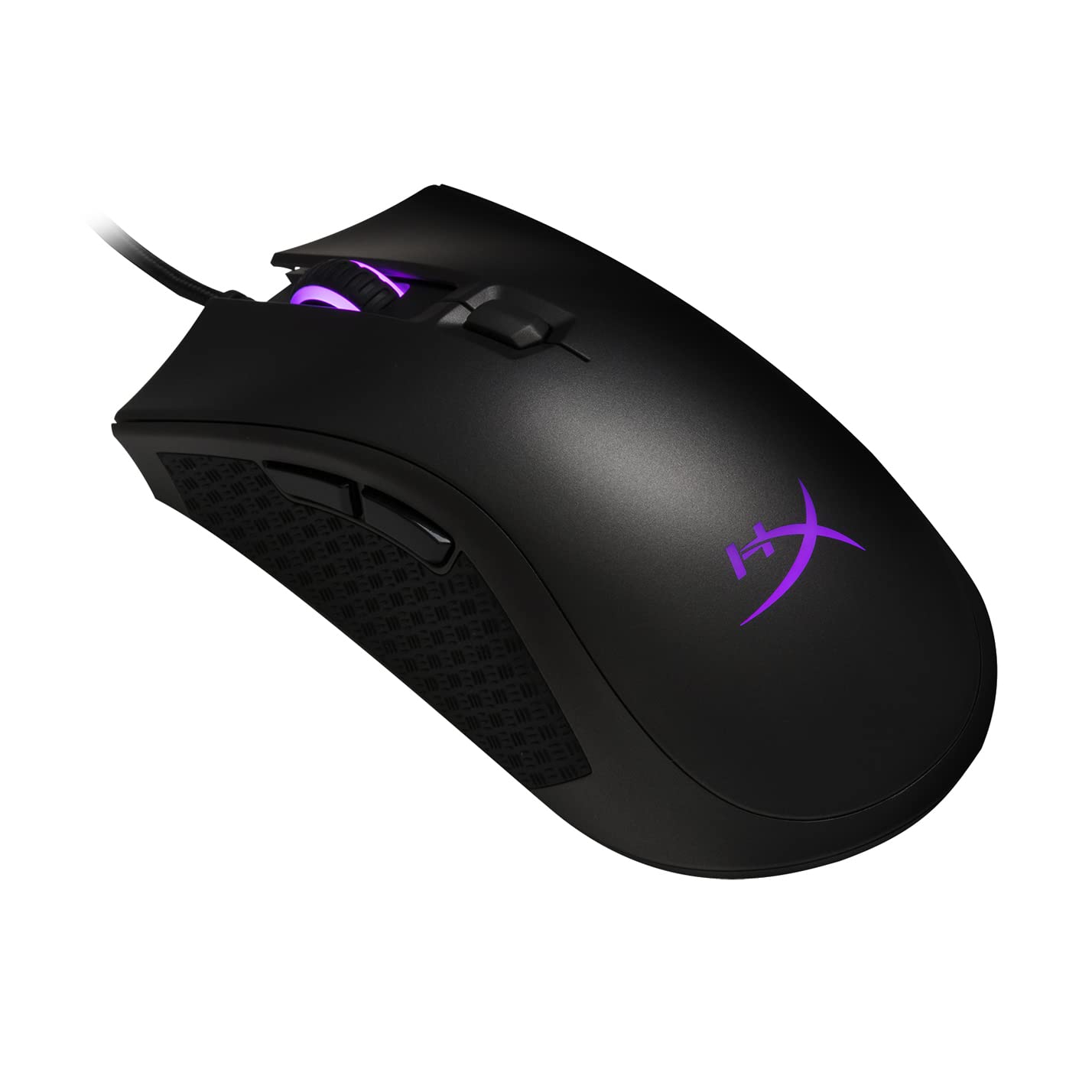
Here’s the thing—the product page doesn’t do this mouse justice. Photos make it look nearly symmetrical, but in reality it’s a right-handed only ergonomic design with a distinct trapezoidal shape. Much better looking in person.
Design Details
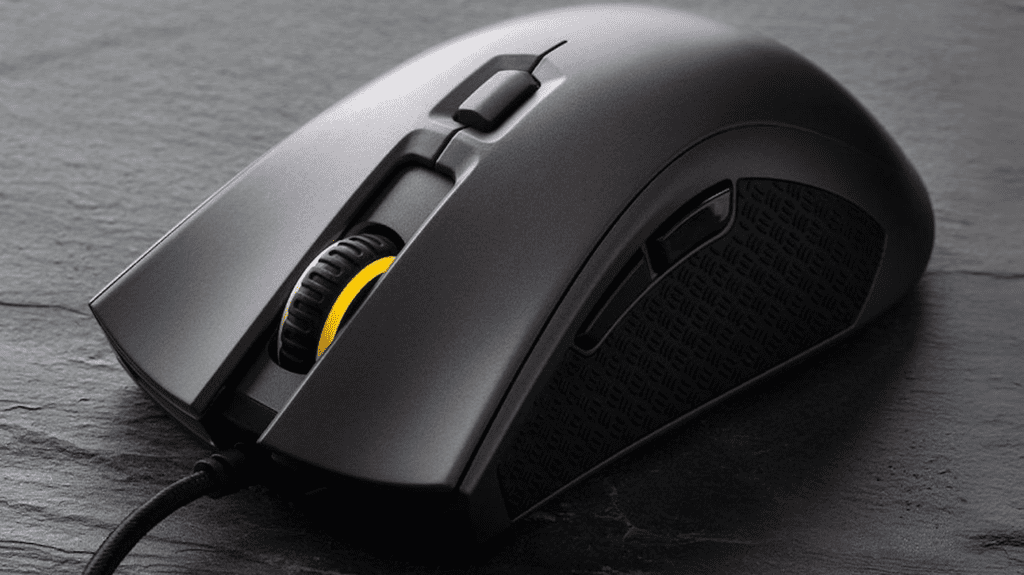
From the front, the right-handed ergonomic contour is immediately clear. The Pulsefire FPS Pro comes with a non-removable braided cable. Looking at the sides, there’s a textured pattern reminiscent of metal flooring—something HyperX clearly likes, since the same texture appears on the extra keycaps included with their Alloy FPS keyboard.
The bottom features two large mouse skates for smoother gliding and houses the Pixart 3389 sensor. For RGB, you get two zones: the HyperX logo near the palm area and the scroll wheel. HyperX keeps the lighting classy without overdoing it.
NGenuity Software Experience
Launching the software prompted an immediate firmware update—generally a good sign indicating bug fixes and optimizations. The HyperX NGenuity software gives control over RGB lighting, button reprogramming, and macro assignment.
The interface works, but the user experience gets confusing when clicking around. Selecting a profile presents a sidebar with lighting, performance, and macro controls. The lighting menu offers standard options—effect modes, colors, customization—though the color picker interface reminds me of MS Paint.
Performance settings let you select DPI levels with a brilliant feature: assigning colors to each DPI level so you see corresponding colors when cycling through. You can also customize the number of levels and individual values.
The macros section oddly includes key assignment options, and from here you can switch the mouse between left and right-handed configurations—though I definitely wouldn’t recommend this mouse for lefties given the ergonomic shape.
One frustration: you must click “return” or “save” before programming other buttons, which creates a confusing workflow. Another issue—the DPI cycle button lacks multimedia function options, even though other buttons can be assigned media controls. Seems like an oversight rather than intentional design.
The macro library itself is verbose but functional, with options for custom programming or recording.
Using the Mouse
Initial grip felt weird with that metal flooring texture on both sides. Then the trapezoidal shape surprised me—it’s remarkably comfortable. HyperX created one of the most comfortable mice I’ve used.
Left and right clicks require slightly more force and deliver tactile, loud feedback. Good for preventing accidental triggers while confirming actuations. Side buttons have noticeable travel before actuating with satisfying tactile feedback and audible clicks. Same for the scroll wheel middle click.
That metal flooring texture? Surprisingly grippy. The increased surface area you can actually feel provides consistent friction even with sweaty fingertips, without worrying about dust or lint sticking to rubberized surfaces.
Jumping into Overwatch immediately after unboxing, I adapted within minutes. Hours of non-stop use later, still comfortable. For large-handed users like myself, both claw and palm grips work well—palm for comfort during general use, claw for control-focused moments.
The Verdict
The HyperX Pulsefire FPS Pro ranks high among mice I genuinely like. It became a go-to option within hours thanks to its weight, shape, ergonomics, and restrained RGB that can be disabled entirely. That metal floor texture felt odd initially but turned into one of the best grip designs I’ve tested.
Shortcomings exist. The NGenuity software functions but needs user experience improvements. Key assignment has limitations I haven’t encountered on other mice.
At the retail price of RM259 from HyperX’s official store, the Pulsefire FPS Pro delivers excellent value and earns a definite recommendation.
Pros:
- Excellent ergonomic shape
- Grippy metal flooring texture on sides
- Clicky, tactile buttons
- Competitive pricing
Cons:
- NGenuity software needs improvement