Whether you’re diving into an epic open-world on your PlayStation 5 or chasing victory on a high-performance PC, the right gaming monitor can be a total game-changer. With lightning-fast refresh rates, crystal-clear resolution, and immersive color accuracy, today’s top monitors deliver esports-level responsiveness and cinematic quality visuals. If you’re looking to upgrade your setup, these are the most compelling gaming monitor options available right now.
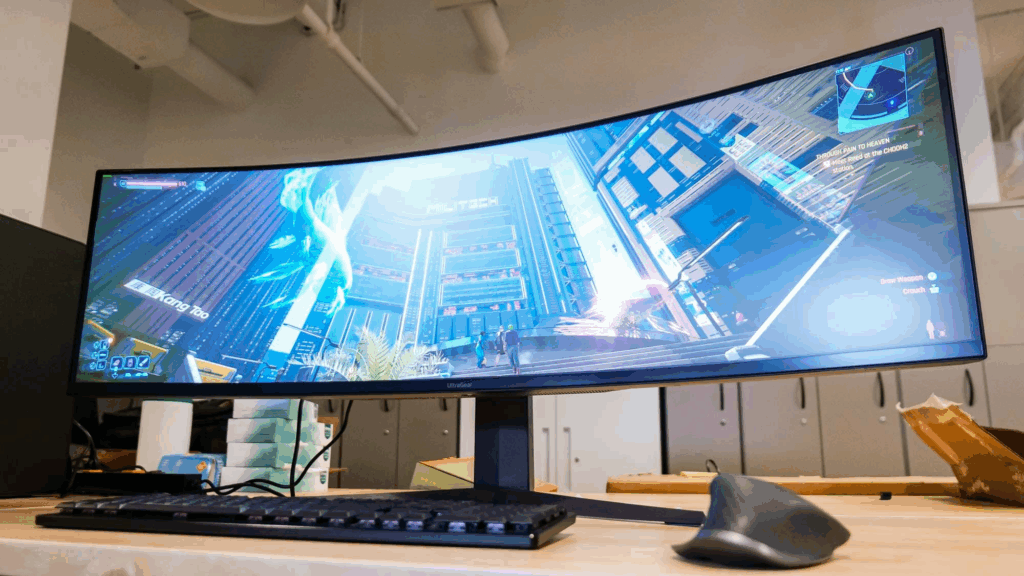
Alienware AW2524HF – 24.5-Inch High-Speed Gaming Monitor
Overview
The Alienware AW2524HF is engineered for competitive players who demand lightning-fast responsiveness. With its ultra-high refresh rate and low input lag, this monitor is ideal for fast shooters and MOBAs.

Key Features
- Panel Type: IPS
- Resolution: 1920 x 1080p
- Refresh Rate: 500Hz (overclocked), 480Hz (native)
- Brightness: 400 nits
- HDR Support: Yes
- Ports: 2 DisplayPort 1.4, HDMI 2.1, 4 USB-A, USB-B
- Extra: Built-in headphone hook
Notable Details
While the 500Hz refresh rate delivers unmatched smoothness for competitive play, the monitor lacks a USB-C port and costs more than many larger displays. Still, for esports-focused gamers, it’s among the fastest panels available.
MSI MAG 255F E20 – 24.5-Inch Budget-Friendly Gaming Monitor
Overview
MSI’s MAG 255F E20 is a straightforward, affordable monitor for players who want smooth performance without overspending.

Key Features
- Panel Type: IPS
- Resolution: 1920 x 1080p
- Refresh Rate: 200Hz
- Brightness: 300 nits
- HDR Support: Yes
- Ports: 2 HDMI 2.0, 1 DisplayPort 1.2
- Footprint: Minimal desk space required
Notable Details
The MAG 255F E20 has good color reproduction and smooth motion for its price. However, it offers minimal connectivity, and some buyers have reported early dead pixels, so it’s important to check warranty coverage.
Samsung Odyssey G5 – 27-Inch 4K OLED Gaming Monitor
Overview
Samsung’s Odyssey G5 is a premium 27-inch display for gamers who want vibrant 4K visuals without compromising refresh rate.

Key Features
- Panel Type: OLED
- Resolution: 3840 x 2160p
- Refresh Rate: 240Hz
- Brightness: 250 nits
- HDR Support: Yes
- Ergonomics: Rotating display
Notable Details
This OLED panel produces deep contrast and rich colors, especially in dark scenes. The 240Hz refresh rate adds impressive smoothness. However, brightness levels are lower compared to some LED competitors, and the price is significant.
MSI MPG 321URX – 32-Inch QD-OLED Gaming Monitor
Overview
This 32-inch QD-OLED display strikes a balance between color richness and gaming speed, designed for players ready to invest in a cinematic experience.

Key Features
- Panel Type: QD-OLED
- Resolution: 3840 x 2160p
- Refresh Rate: 240Hz
- Brightness: 250 nits
- HDR Support: Yes
- USB-C Charging: 90W power delivery
Notable Details
Games look vivid, with deep blacks and vibrant hues. The 240Hz refresh rate ensures smooth performance. The monitor occasionally forces a recalibration to prevent burn-in, which can interrupt your session if not configured carefully.
Acer Predator Helios 16 AI Gaming Laptop 14th Gen Intel Core i9 Processor
Overview
For immersive, wraparound visuals,Acer Predator Helios 16 is a statement piece designed to replace multi-monitor setups.

Key Features
- Panel Type: Mini LED
- Resolution: 7680 x 2160p (Dual 4K)
- Refresh Rate: 120Hz
- Brightness: 1,000 nits
- HDR Support: Yes
- Curvature: 1000R deep curve
Notable Details
The vast screen fills your field of vision, perfect for simulation and racing games. Dual 10W speakers provide clear sound. It requires significant desk space, and navigating the on-screen menu can be awkward.
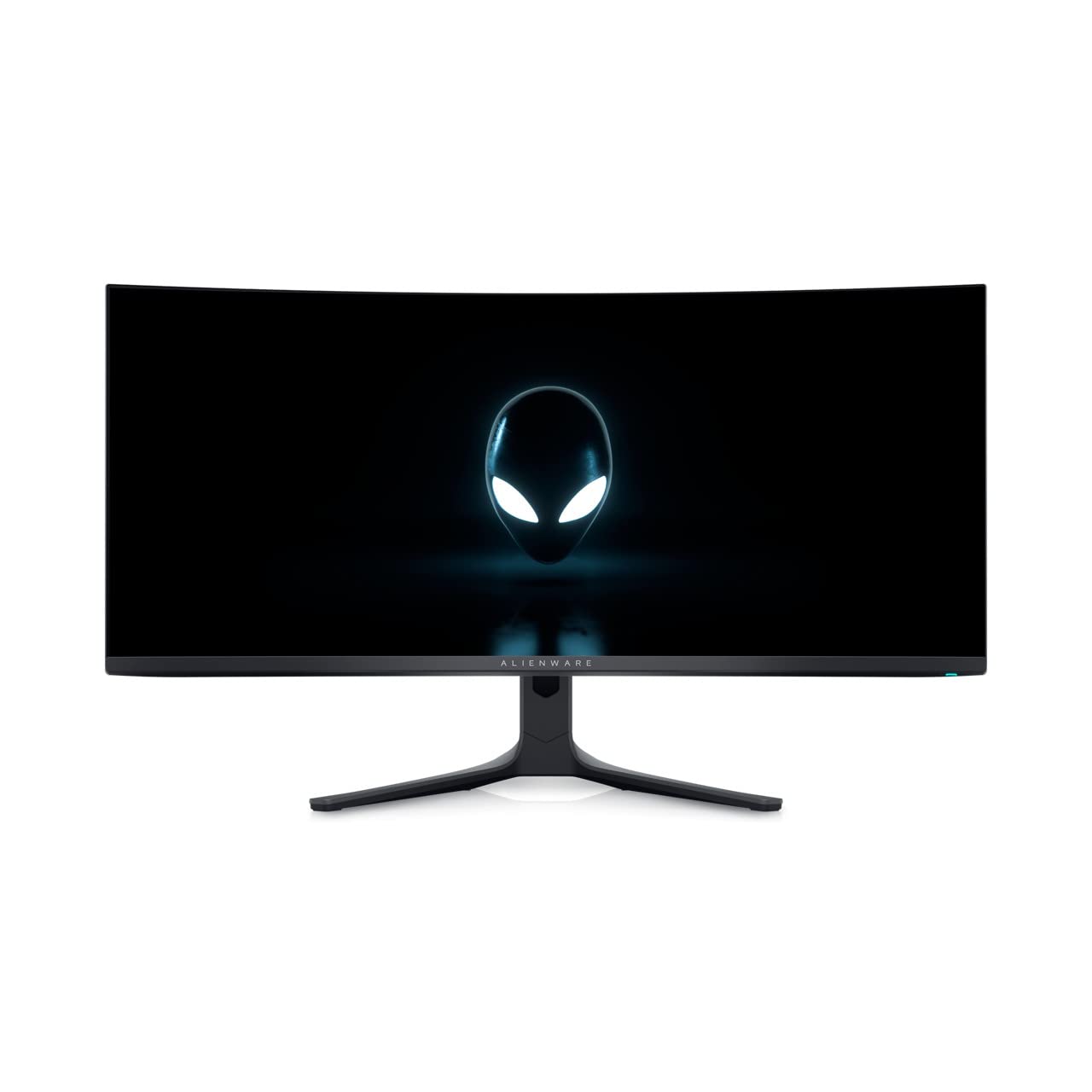
Alienware AW3425DWM – 34-Inch Value-Focused Curved Gaming Monitor
Overview
The AW3425DWM delivers a curved ultrawide experience in a more affordable package, balancing immersive visuals with practicality.
Key Features
- Panel Type: LED
- Resolution: 3440 x 1440p
- Refresh Rate: 180Hz
- Brightness: 400 nits
- HDR Support: Yes
- Aspect Ratio: 21:9
Notable Details
The resolution is lower than true 4K, but for most gamers, the difference is subtle. You get a colorful, immersive display that feels expansive, especially in racing and first-person games. Limited ports and brightness are the main trade-offs to keep the cost lower.
Choosing the Right Gaming Monitor
When shopping, consider these essential factors:
- GPU Capabilities: Match refresh rate and resolution to your system.
- Desk Space: Ultrawide and large displays need more room.
- Ergonomics: Adjustable stands and VESA mounts improve comfort.
- Connectivity: Check ports for future-proofing and charging options.
Also Read : Best Gaming Chairs in 2025: Top Picks for Every PC Gamer